Visual Jenga: Reproduction
Author: Jie Wang
This page documents our reproduction of the Visual Jenga paper by Bhattad et al. (TTIC / UC Berkeley). The method discovers object dependencies in a scene by iteratively removing the "most removable" object using counterfactual inpainting.
Core Idea
Given a single image, Visual Jenga asks: which object can be removed while keeping the scene coherent? The answer reveals implicit physical dependencies — a cat on a table depends on the table, but not vice versa.
The key metric is the diversity score (Eq. 2 from the paper):
where and are mean pairwise similarities (CLIP ViT-L/14 and DINOv2) across inpainted samples, and is the object's area fraction relative to the image. A high diversity score means the slot can be filled by many different things — so this object should be removed first.
Pipeline Architecture
The pipeline orchestrates five pretrained models in a memory-efficient two-phase loop:
| Phase | Stage | Model | Role |
|---|---|---|---|
| A | Detect | Molmo-7B | Points at every distinct object in the scene |
| A | Segment | SAM2 | Produces a binary mask for each detected point |
| B | Score | SD1.5 Inpainting + CLIP ViT-L/14 + DINOv2 | Generates counterfactual inpaintings per object, computes diversity score |
| B | Remove | LaMa | Cleanly removes the highest-scoring object |
Molmo-7B alone takes ~14 GB in bfloat16. The scoring + removal models together take ~6 GB. On a 24 GB GPU (A10), both groups cannot be loaded simultaneously. The pipeline explicitly loads and unloads each model group per step via unload() + gc.collect() + torch.cuda.empty_cache().
Step-by-Step Walkthrough
Below is a complete rollout on COCO scene 007 — a parrot sitting on a laptop. The pipeline runs with --remover lama --n 16 --steps 10.
Step 0 — Original Image

Input image: a green parrot perched on an open laptop keyboard.
Step 1 — Detect, Score, Remove
Detection: Molmo identifies 12 distinct objects in the scene.
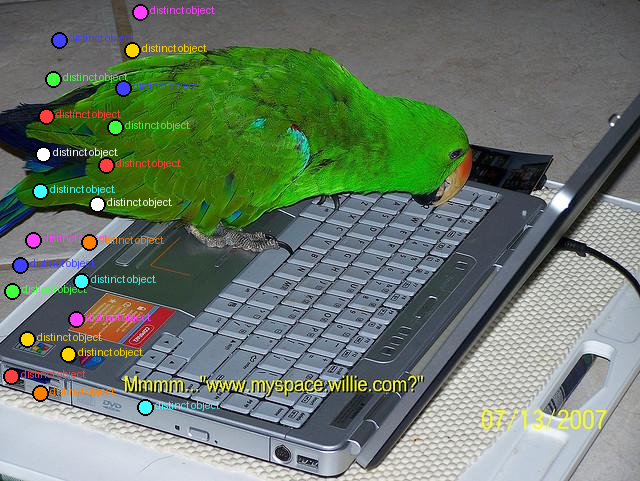
Colored dots mark each detected object. The pipeline scores all 12 objects by inpainting each mask times and computing the diversity score.
Scores: Object 1 has the highest diversity score (), meaning its slot can be filled most easily — it's the most removable.

Yellow dot marks the object selected for removal (highest diversity score).
Removal: LaMa cleanly inpaints the removed region.

Result after the first removal — a small peripheral object is gone.
Step 2 — Second Removal
The pipeline re-detects objects in the updated image (8 objects remain detectable).

Re-detection on the modified image. Points inside previously removed regions are skipped via the removed_union mask.
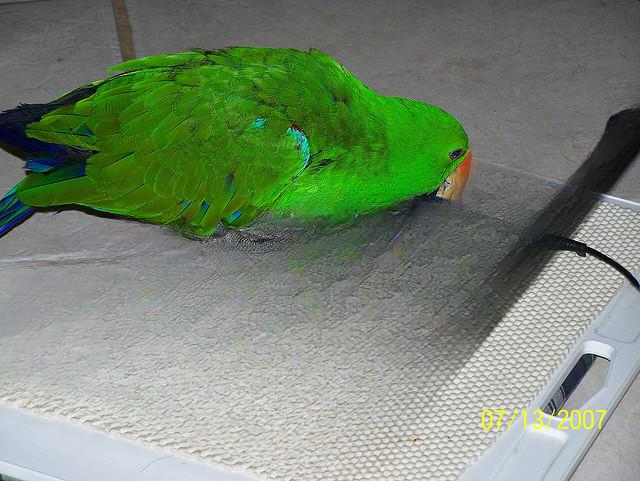
The laptop body is removed — the parrot remains on the surface.
Step 3 — Continuing Removal
With the laptop gone, remaining objects are scored individually.
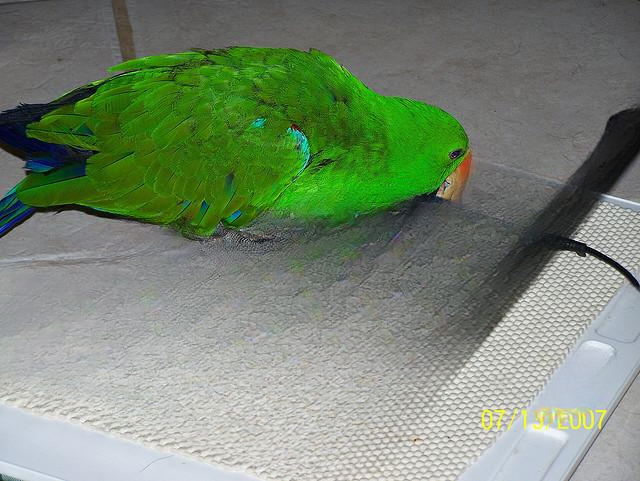
Another background element removed. The parrot is still the most "anchored" object.
Steps 4–6 — Down to Background
| Step | Objects Detected | Best Score | Removed |
|---|---|---|---|
| 4 | 1 | Background element | |
| 5 | 1 | Remaining foreground | |
| 6 | 1 | Final object |
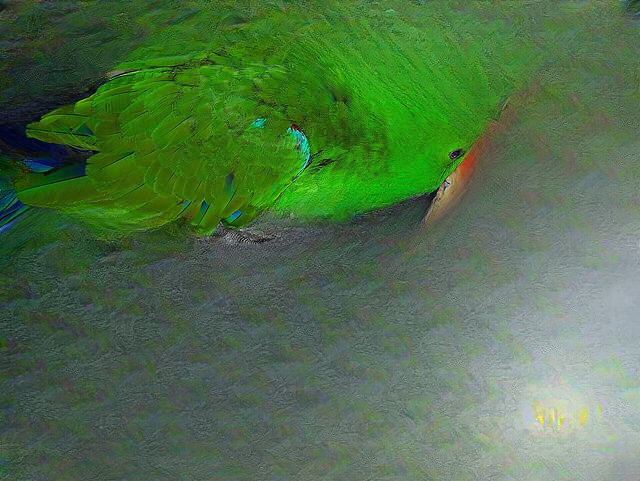
By step 6, the scene is almost fully deconstructed. The pipeline terminates at step 7 when no scoreable objects remain.
The laptop was removed before the parrot because it scored higher on diversity — the laptop's region can plausibly contain many things, while the parrot is more "surprising" in its location. This matches the physical intuition: the laptop supports the parrot, not the other way around.
LaMa vs SD1.5 Comparison
We run the same scene (COCO 003 — a cat sleeping on a chair with a trash can) with both remover backends.
Same Input, Different Backends
| LaMa Remover | SD1.5 Remover | |
|---|---|---|
| Total steps | 4 | 10 (hit max_steps) |
| Clean removal? | Yes — background fills cleanly | No — hallucinated objects appear |
LaMa Result (4 steps)
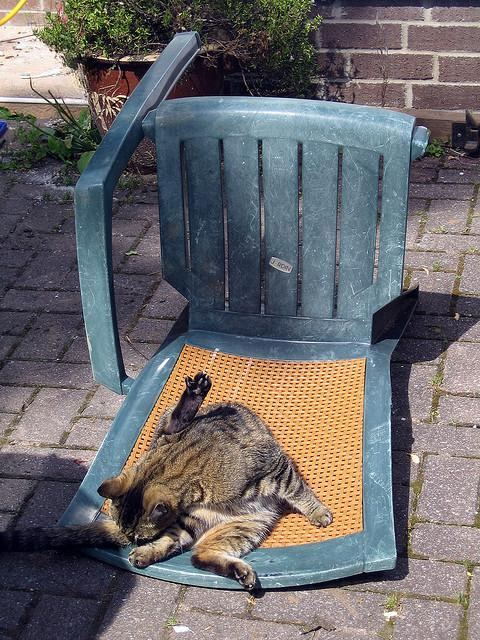
LaMa fills the removed region with plausible background texture. No new objects are introduced.
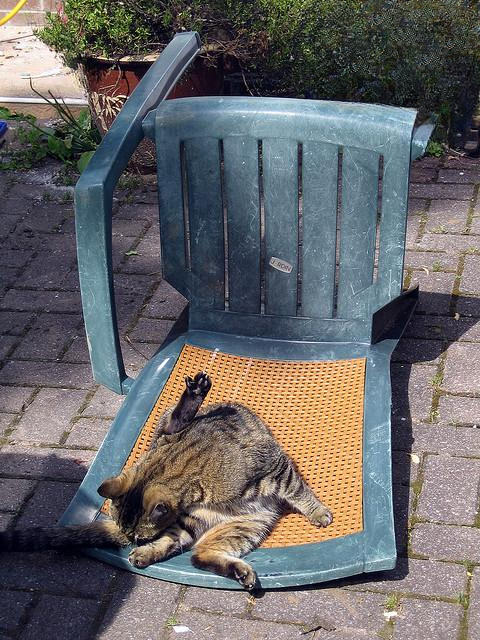
After 3 removals, the scene is nearly bare. Pipeline terminates naturally at step 4.
SD1.5 Result (10 steps — hit max)
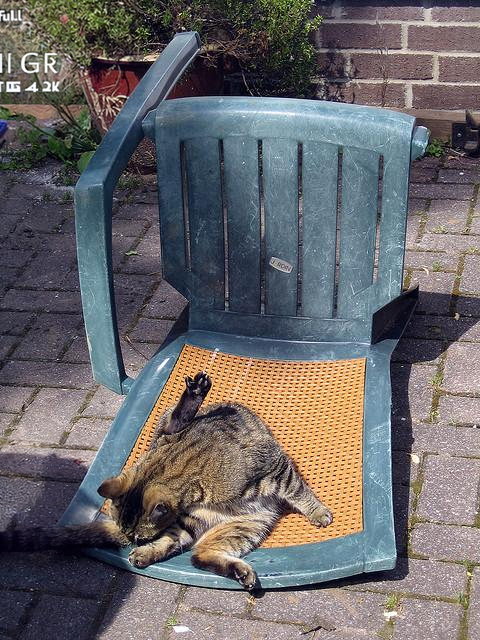
SD1.5 removal at step 4 — note the artifacts and hallucinated objects appearing in the background.
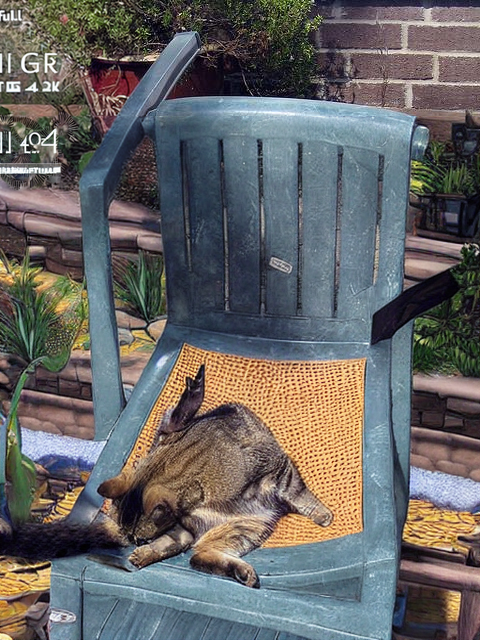
By step 7, SD1.5 has hallucinated plants and other objects. Molmo re-detects these, creating a removal loop.
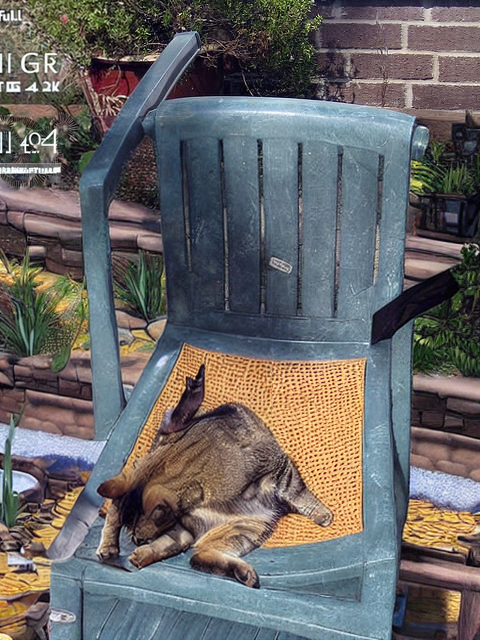
Step 9 — the scene is cluttered with artifacts. The pipeline only stops because it hits max_steps=10.
SD1.5 hallucinates replacement objects when used as the remover. Molmo then detects these new objects, triggering another round of removal. This creates extremely long loops — in our experiments, one scene (COCO 012) reached 1656 steps before being killed. Always use LaMa for the removal step unless explicitly comparing backends.
GPU Memory Management
Two-Phase Load/Unload Strategy
On a 24 GB GPU (NVIDIA A10), the models cannot coexist in memory:
Phase A (~14 GB):  Molmo-7B (bfloat16) → Detect → SAM2 → Segment → Unload all
Phase B (~6 GB):   SD1.5 + CLIP + DINO → Score all objects → Unload
                   LaMa → Remove chosen object → Unload
Every model class implements unload(), which deletes the model and calls _free_gpu():
def _free_gpu():
    gc.collect()
    torch.cuda.empty_cache()
Loop Guards
Two mechanisms prevent infinite loops:
removed_unionmask — Union of all masks removed so far. Detection points falling inside this union are skipped before segmentation. Reset at the start of eachrun()call.max_stepscap — Hard limit on removals per image (default: 10). Override with--steps N.
Mask Cache
pipeline._mask_cache maps (x_frac, y_frac) → bool mask. After each SAM2 call, results are stored. On subsequent steps, if Molmo re-detects a point within CACHE_HIT_RADIUS=0.02 of a cached point, the cached mask is reused (no SAM2 forward pass). After a removal, all entries within CACHE_INVALIDATION_RADIUS=0.10 of the removed object's point are evicted so neighbors get re-segmented.
Quantitative Results
| Dataset | Remover | Scenes | Avg Steps | Notes |
|---|---|---|---|---|
| COCO | LaMa | 15 | TBD | Clean removals, natural termination |
| COCO | SD1.5 | 20 | TBD | Hallucination artifacts, often hits max_steps |
| NYU-v2 | LaMa | TBD | TBD | Indoor scenes |
| ClutteredParse | LaMa | TBD | TBD | Dense object arrangements |
How to Run
Quick Start
# Install dependencies
uv sync

# Run on a single image with LaMa remover (recommended)
uv run python run_jenga.py \
    --image data/datasets/coco/000/img.jpeg \
    --output results/ \
    --remover lama \
    --n 16 \
    --steps 10

# Run across the full COCO dataset
bash process_coco.sh

# Run across all datasets with W&B logging
uv run python run_all_datasets.py \
    --datasets coco nyu clutteredparse \
    --output-root results/datasets \
    --remover lama \
    --wandb-project visual-jenga \
    --resume
Viewing Results
# Launch the Streamlit dashboard
bash open_dashboard.sh   # → http://localhost:8510
Running Tests
bash run_tests.sh            # unit tests only (fast, no GPU)
bash run_tests.sh --smoke    # unit + quick GPU sanity check
bash run_tests.sh --all      # everything including slow GPU tests
Citation
This is a reproduction of:
@article{bhattad2025visualjenga,
  title={Visual Jenga: Discovering Object Dependencies via Counterfactual Inpainting},
  author={Bhattad, Anand and Preechakul, Konpat and Efros, Alexei A.},
  journal={arXiv preprint arXiv:2503.21770},
  year={2025}
}
Acknowledgements
This reproduction was implemented by Jie Wang. The original Visual Jenga paper is by Anand Bhattad, Konpat Preechakul, and Alexei A. Efros at the Toyota Technological Institute at Chicago and UC Berkeley.
We use the following pretrained models: Molmo-7B, SAM2, Stable Diffusion 1.5 Inpainting, LaMa, CLIP ViT-L/14, and DINOv2.